Units and language
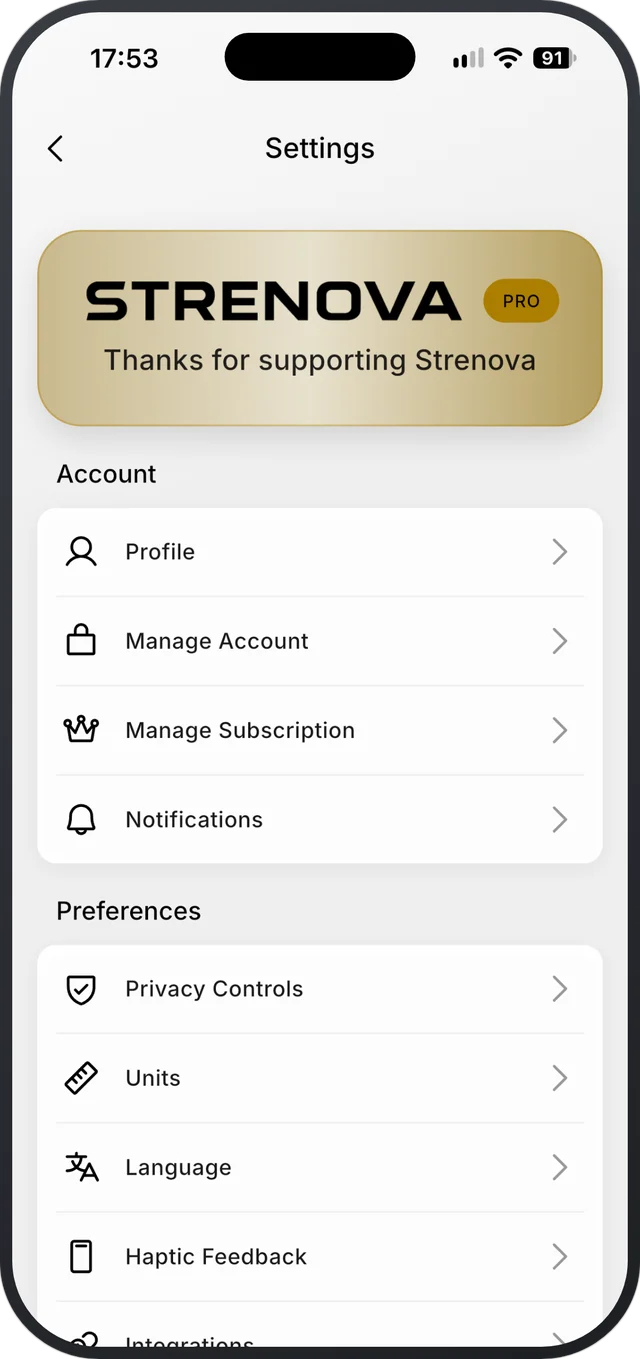
Open Settings › Units to switch between kg and lb, cm and in, or km and mi. Settings › Language changes the app language.
Step by step
- 1Open Settings with the gear at the top of your Profile.
- 2Tap Units and choose kg or lb, cm or in, and km or mi.
- 3Tap Language and pick English, Spanish, German, Macedonian or Serbian.
Good to know
- The app doesn’t follow your phone’s language. Pick it in Settings.
- Home-screen widgets and the iPhone Live Activity are in English, Spanish and Macedonian only.
- Settings also has Start Week On (Monday, Saturday or Sunday) and Theme (light, dark or system).
Related
Still stuck?
Email us at hello@strenova.app. Tell us your phone and what you tried, and we’ll get back to you.