
Strenova Coach App
Keep your clients’ training connected.
Plan their training, review completed sessions, and follow their progress in one coaching workspace.
Use your Strenova account. Advanced coach analytics require Pro.
01 / Your clients
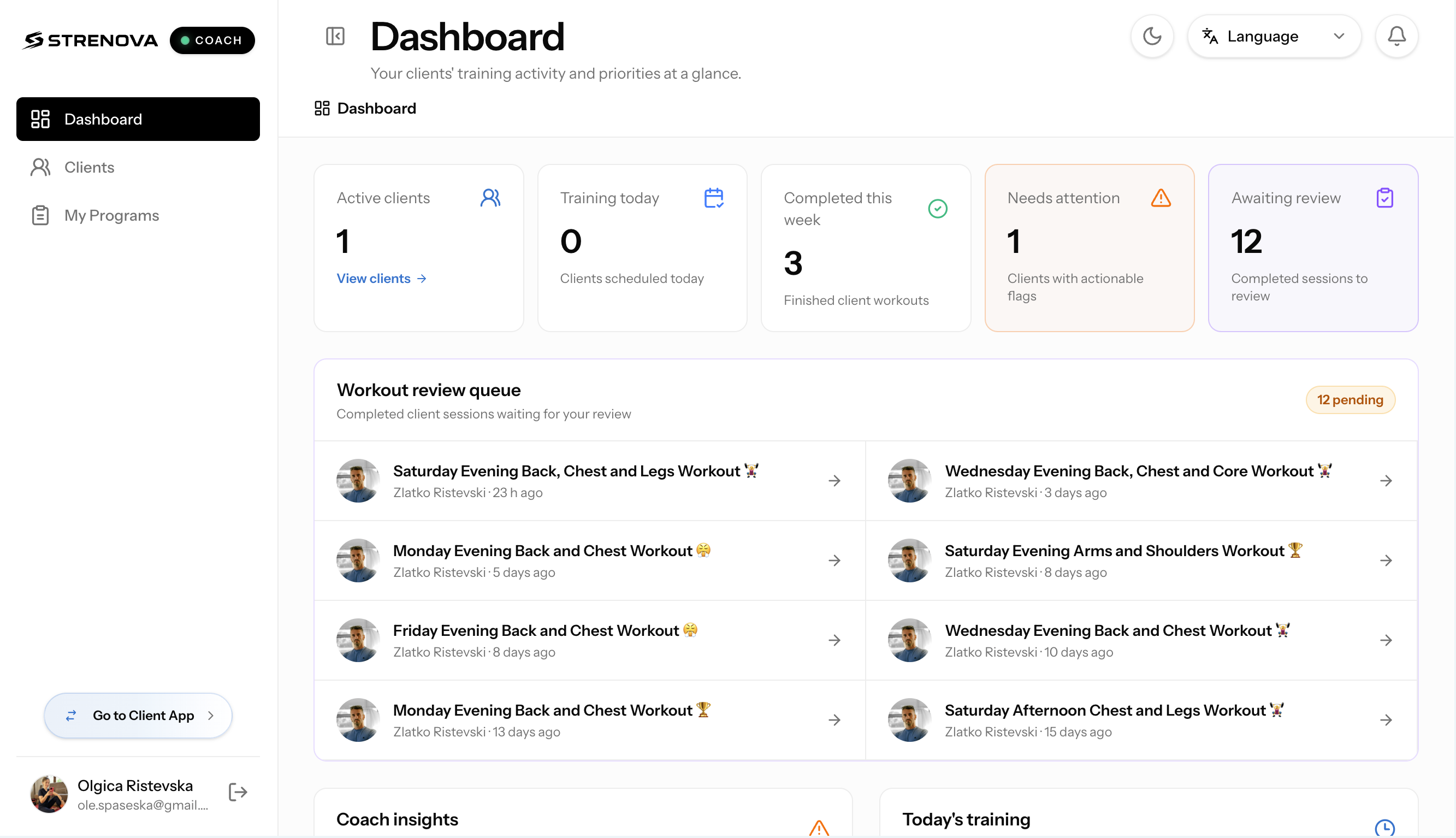
Your clients, at a glance.
Start with your client list and coaching dashboard. Open a client’s workspace to move from the overview to their training, progress, and check-ins.
- Keep your clients in one place
- Review dashboard insights and items needing attention
- Open the full workspace for an individual client
02 / Plan their training
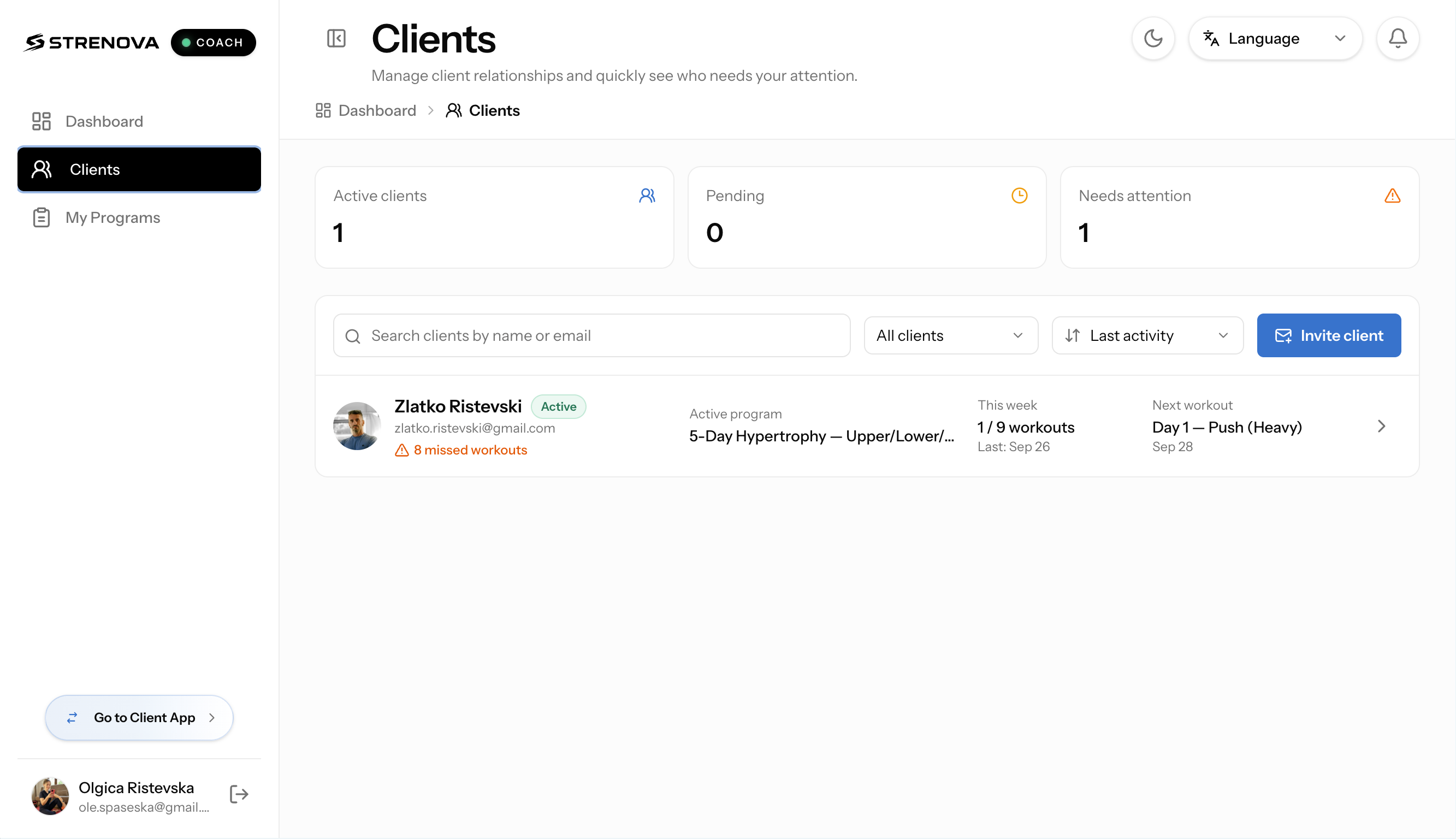
Give their next session direction.
Build programs and assign them to your clients. Manage workout targets and exercise progression rules, choose training days, and adjust scheduled workouts when plans change.
- Create and assign structured programs
- Set exercise targets and progression rules
- Change training days or reschedule a workout
03 / Review their workouts
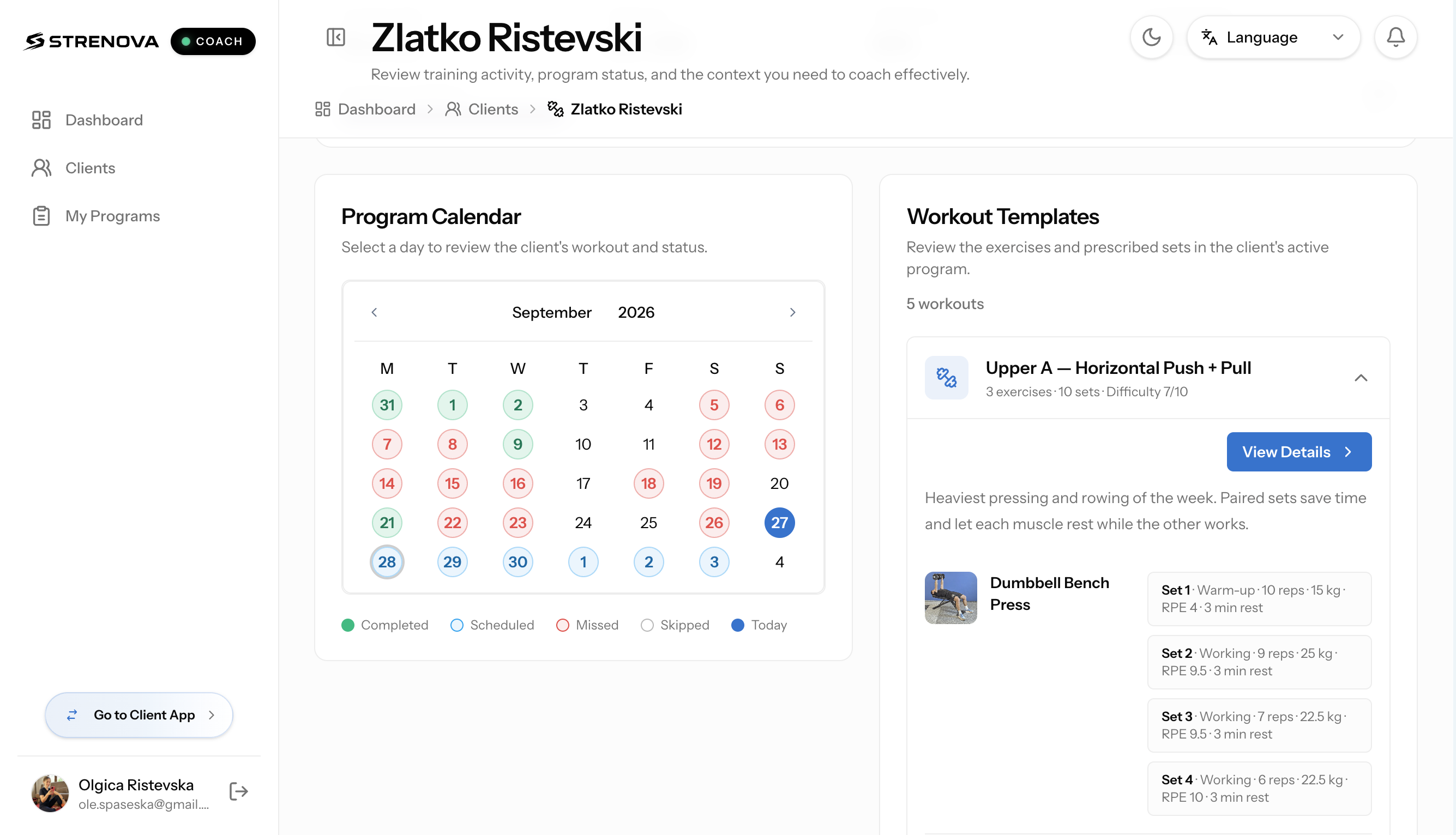
Review the work behind the numbers.
Look beyond a completed-workout badge. Compare the prescribed session with what your client logged, inspect individual sets, and leave feedback in the workout review.
- Compare prescribed and completed training
- Inspect recorded sets, weights, and reps
- Save feedback for your client to review
04 / Follow their progress
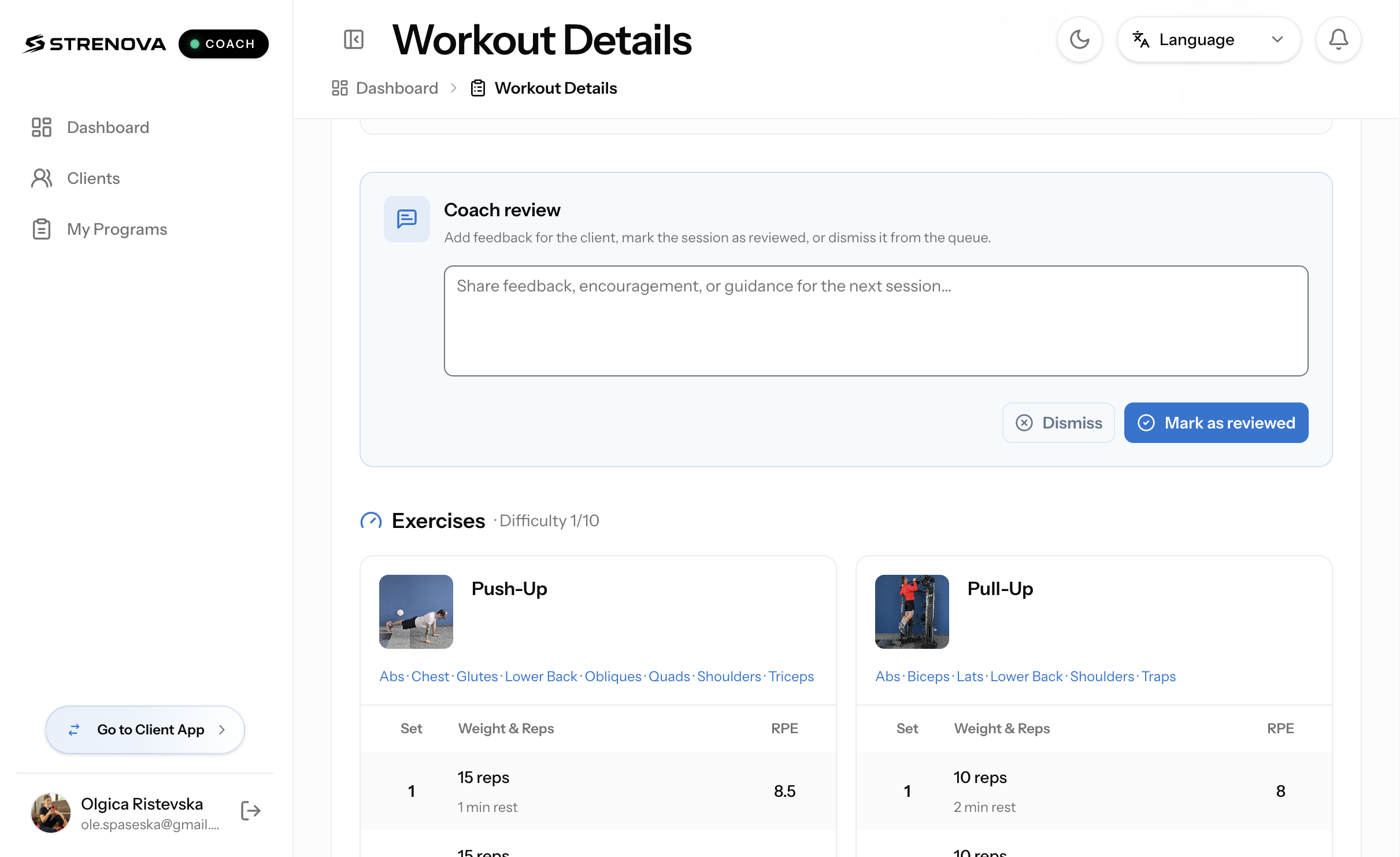
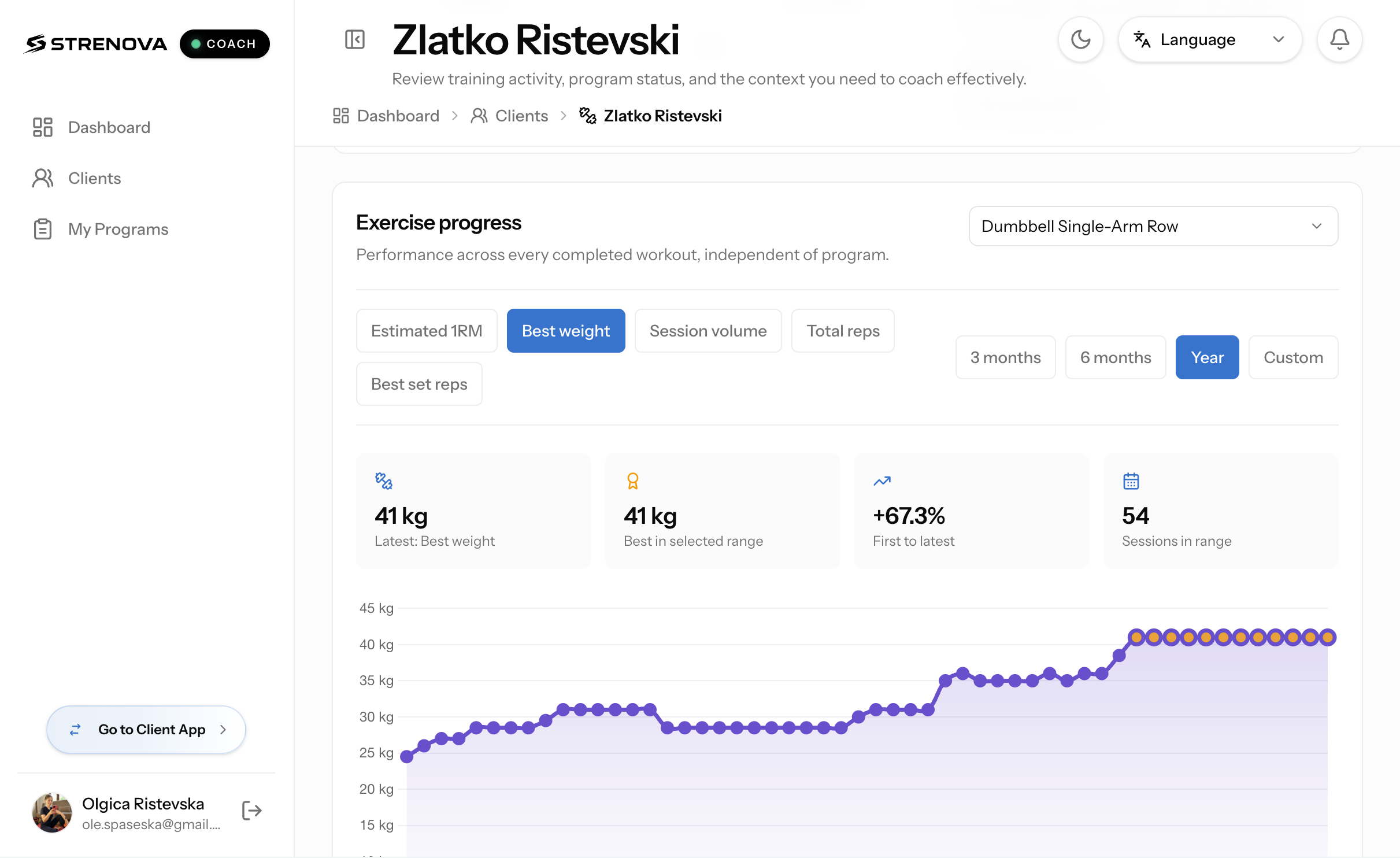
See how their training adds up.
Use the client progress workspace to explore exercise trends, personal records, training volume, and muscle-group balance. Bring that context into your next training decision.
- Follow performance across sessions
- Review personal records and training volume
- Explore muscle-group balance
Advanced coach analytics require an active Pro subscription on the coach’s account.
05 / Add context
Keep the person in the picture.
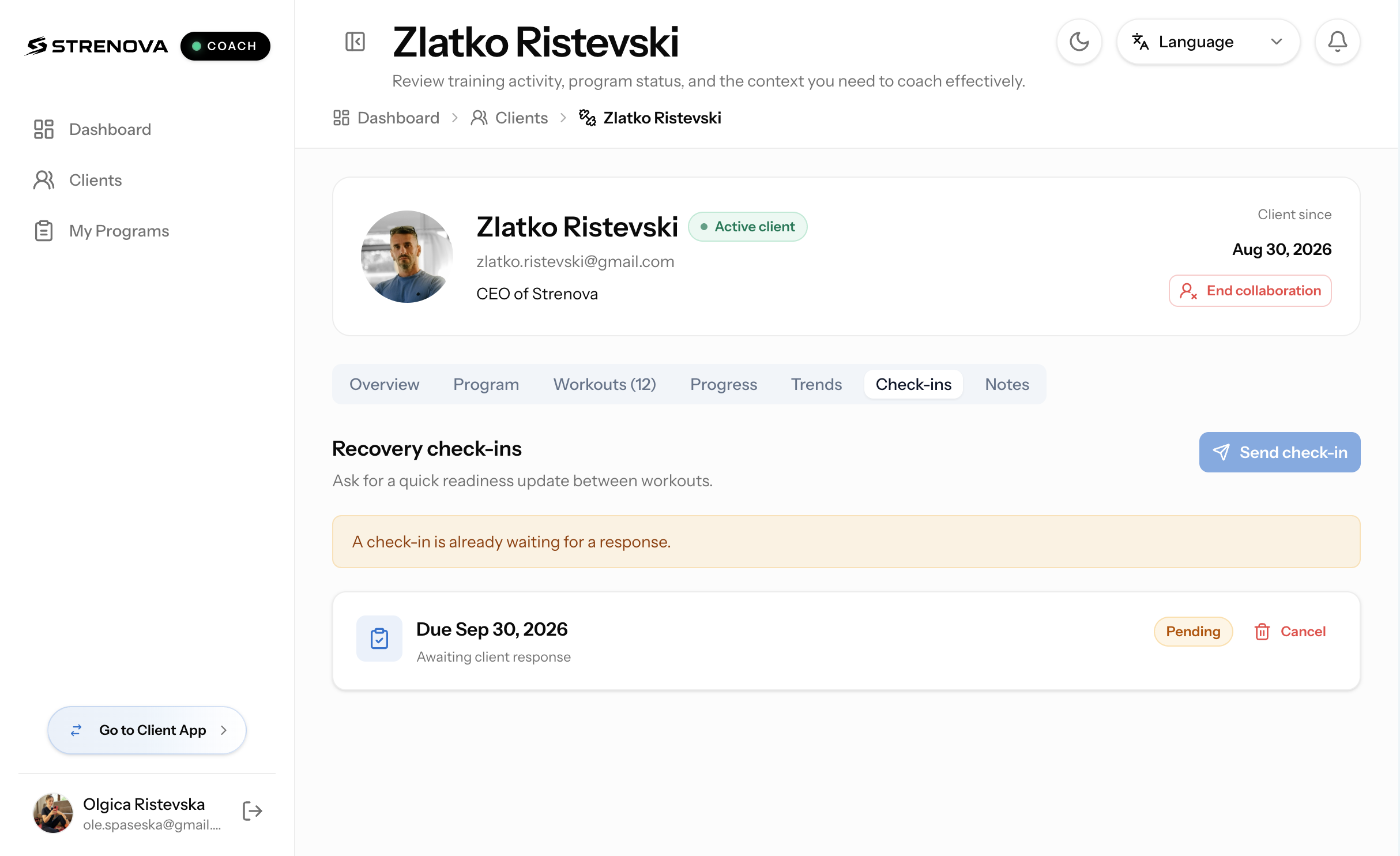
Review recovery check-ins alongside workout performance, and keep private coaching notes in the client workspace. Training data is more useful with context.
- Review client recovery check-ins
- Keep private notes for your coaching work
- Use check-ins alongside completed training
Coach App + Client App
One connected training workflow.
Your client follows assigned workouts and logs their sessions in Strenova. You review that training in the Coach App and leave feedback they can revisit.
Set the program, targets, and schedule.
Follow the workout and record completed sets.
Connect workout feedback with the next training decision.
Getting started
From connection to the first workout.
- Open the Coach App
Sign in with your Strenova account.
- Invite your client
Find their Strenova account and send an invitation. Wait for them to accept.
- Assign and review
Assign a program, choose training days, and review their completed sessions.
Before you get started
How do I access the Coach App?
Sign in with your Strenova account at my.strenova.app/coach. The Coach App runs in your browser.
How do I connect a client?
Find an existing Strenova user in the invite-client screen and send an invitation. They need to accept it before you can manage their training as their coach.
Does my client need a Strenova account?
Yes. Clients use their own Strenova account to accept your invitation, follow assigned training, log workouts, and review feedback.
Do I need Pro?
You can access the Coach App with a Strenova account. Advanced coach analytics require an active Pro subscription on your account; Pro features are marked in the app.
Can a coaching connection be ended?
Yes. Either the coach or the client can end the coaching connection from the app.
Bring your coaching into Strenova.
Keep programs, completed workouts, and client context in one place.
Open the Coach App