A workout log that remembers for you
“I can’t remember what I lifted last time.”
Start from a template, a program or an empty workout. Last session’s weight and reps sit next to every set, so you walk up to the bar knowing the number to beat. Free, with no limit on workouts.


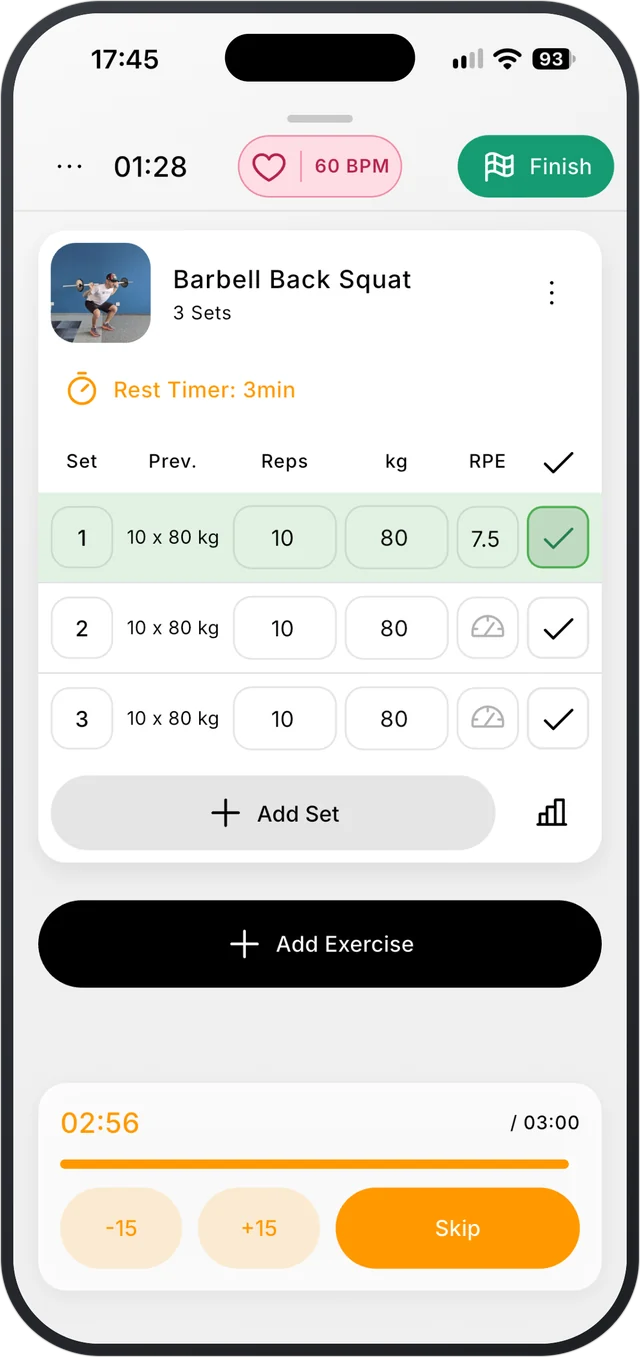
How it works
- 1
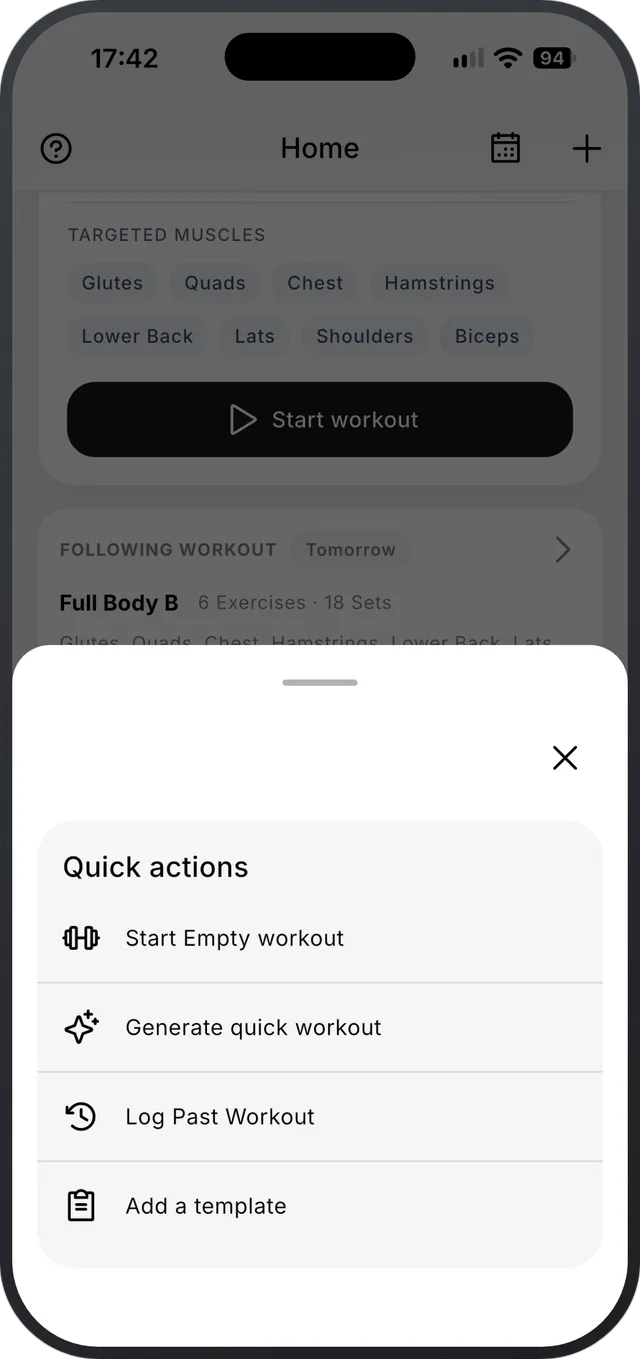
Start a workout
Start today’s program workout, one of your templates, or an empty workout. Forgot to log yesterday? Log a past workout with its date and time.
- 2
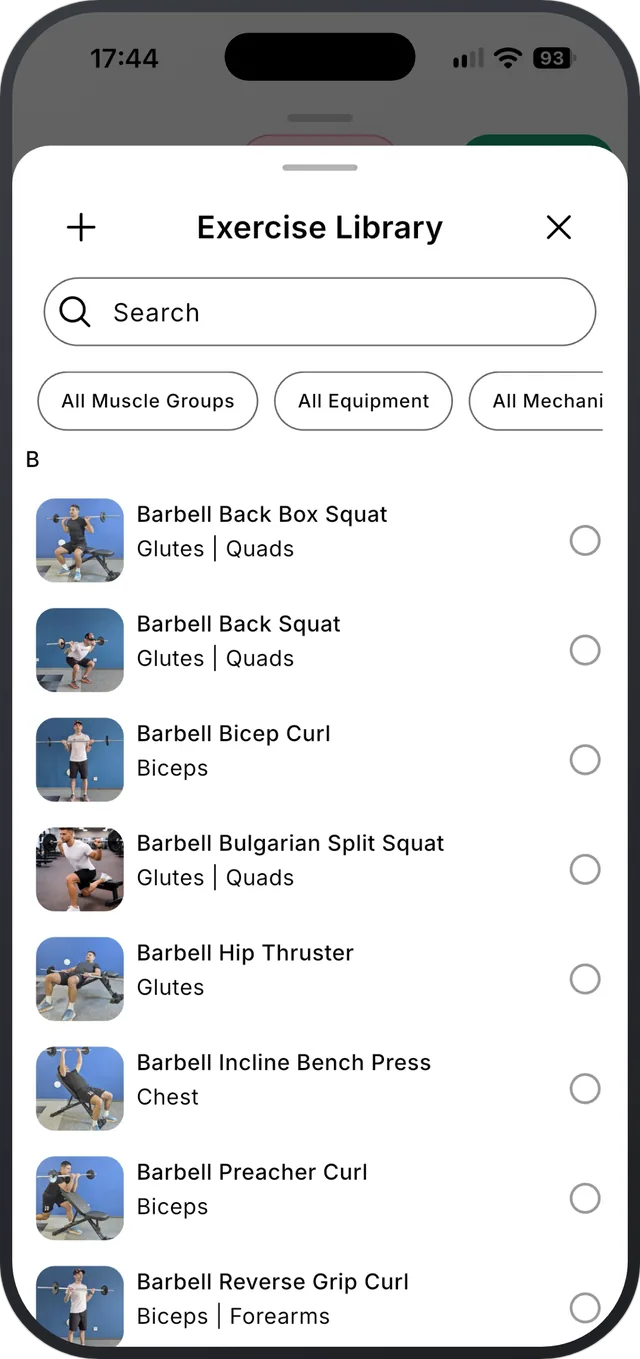
Add exercises as you go
Search the library or filter by muscle, equipment and type. Add, switch, reorder or remove exercises mid-session.
- 3
Log sets and finish
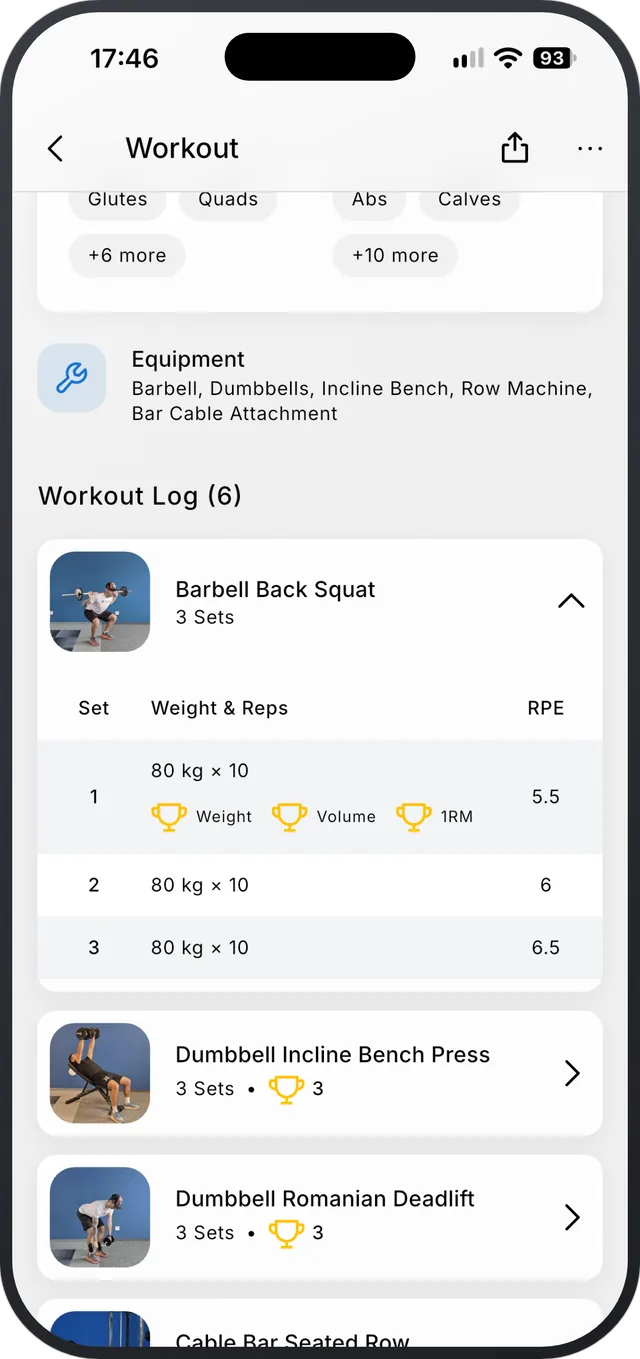
Swipe a set to log it, or log them all at once. At the end you get a summary, your new records, and the choice to update your template with today’s numbers.
What’s in the log
- Last time’s weight and reps on every set, in kg or lb.
- Reps, time or distance, depending on the exercise.
- Set types, workout notes, and optional RPE with plain-English labels.
- A built-in stopwatch for timed sets, and an option to keep the screen awake.
- Edit any logged workout later, perform it again, or save it as a template.
- Every workout you log or import stays, with no time limit.
What it doesn’t do
- You log in the phone app. The web app is for planning and looking back.
- It needs an internet connection. There’s no offline mode yet.
Questions
Is there a limit on workouts in the free version?
No. Unlimited workouts and templates, and you keep your full history.
Can I log a workout after the fact?
Yes. Use Log past workout and set the date and time. You can also edit any workout you already logged.
Does it track RPE?
Yes, if you want it. Turn on RPE in the workout settings and pick how hard each set felt.
Goes well with
All featuresProgressive overload, made easy.
Free on iPhone and Android.