Lifted something? Show it.
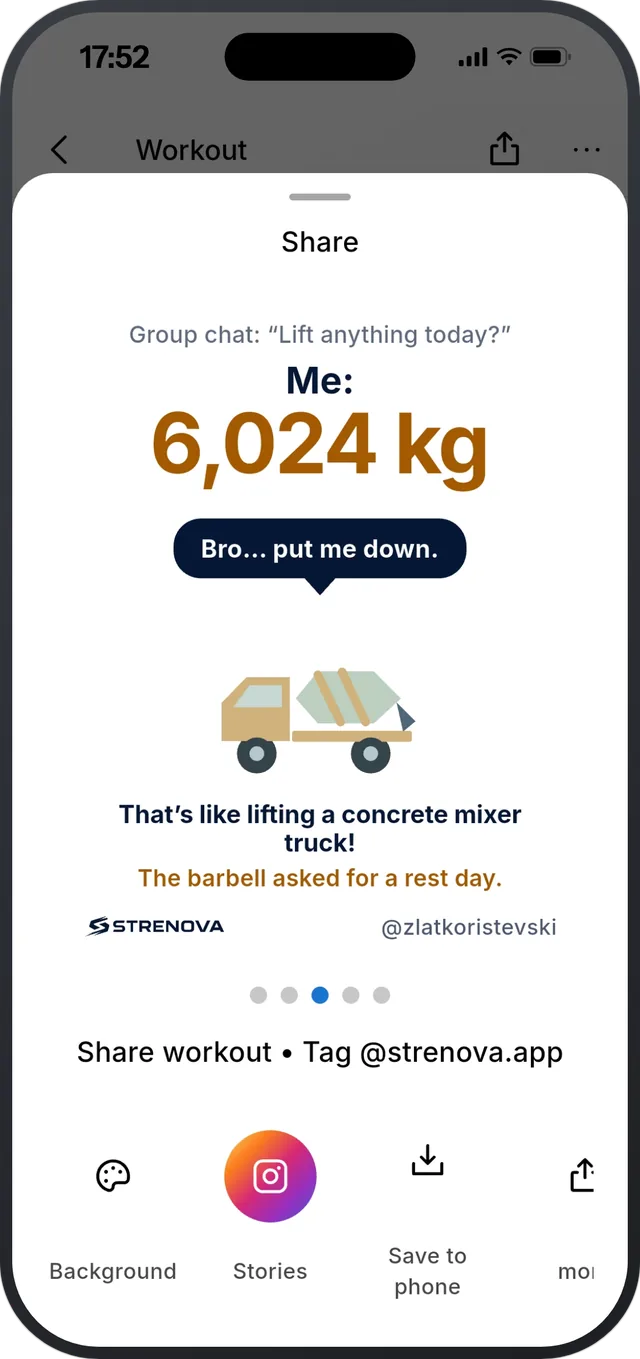
“Group chat: lift anything today?”
Turn a workout, a new record, your month or your training calendar into a card, then post it to Instagram Stories or send it anywhere. Some cards compare your total to something heavy, like a concrete mixer truck, with a joke on top. Free.


How it works
- 1
Finish and tap Share
Share from the end of a workout, from any past workout, from a record, a monthly report or your calendar.
- 2
Swipe to pick a card
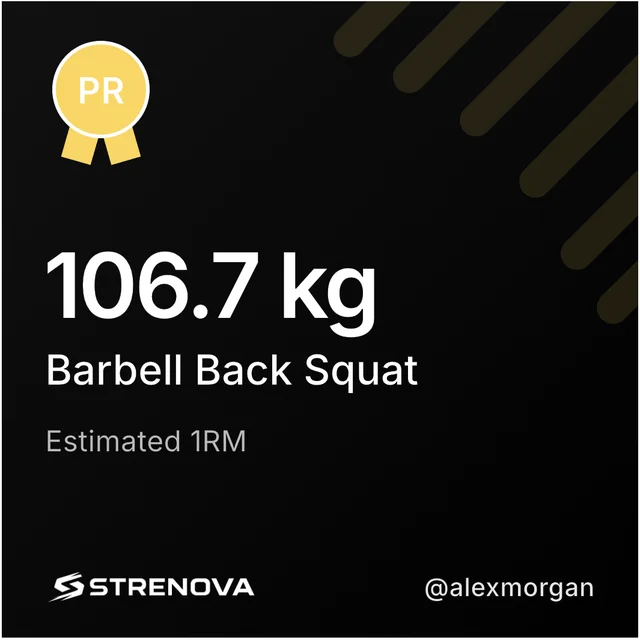
Stats, the muscles you trained, a record, heart rate, or how much you lifted next to something heavy. Tap Background to change the look.
- 3
Post it
Straight to Instagram Stories, save it to your phone, copy the text, or send it with any app. Your handle and the Strenova logo sit at the bottom.
Cards you can share
- Workouts: stats, exercises, the muscle map, and heart rate when you wore a monitor.
- Weight comparisons: your total next to a container truck, a road grader or a concrete mixer, with a joke.
- Personal records.
- Monthly reports: the summary, a chart or the muscle chart.
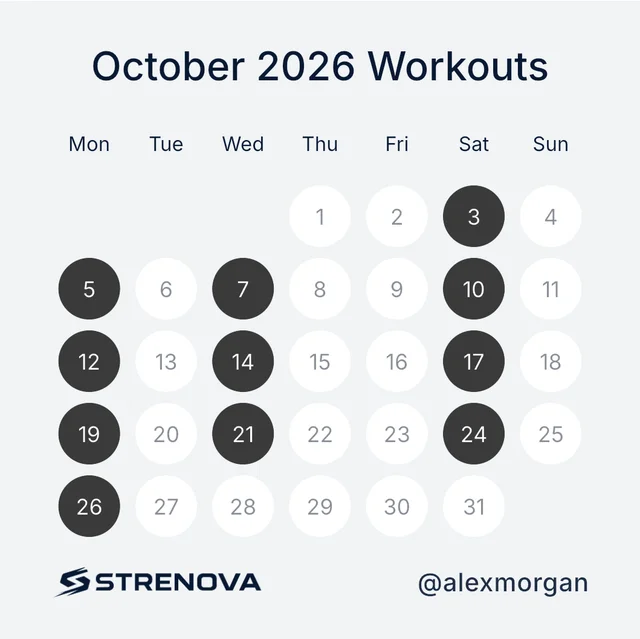
- Your calendar: a month, a year, the last 12 months or recent years.
- Founding members get their own numbered seat card.
What it doesn’t do
- Strenova doesn’t post anywhere by itself. You choose what to share, and where.
- Friends see the image, not your whole workout in the app.
Questions
Can I share to Instagram Stories?
Yes, straight from the share screen. You can also save the card or send it with any app.
Are share cards free?
Yes, every card.
Can I change the background?
Yes, tap Background. Calendar cards also come light, dark or see-through, so they can sit on your own photo.
Progressive overload, made easy.
Free on iPhone and Android.