Start a program
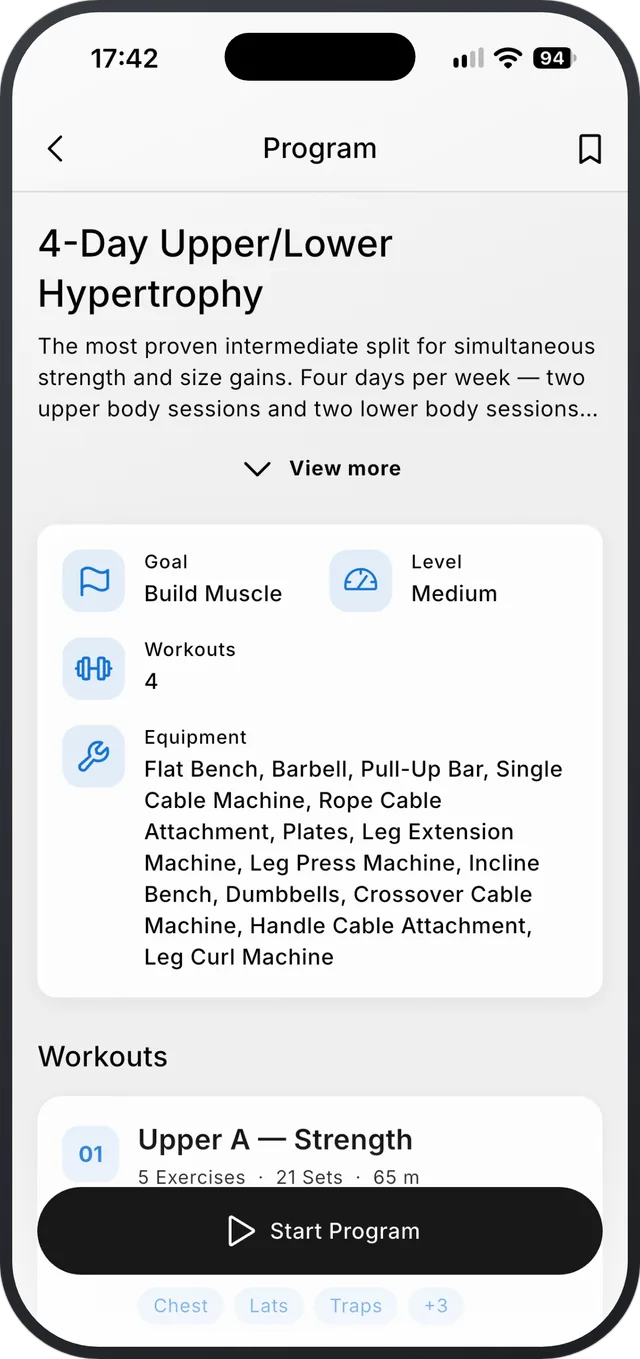
Open Explore, pick a program, tap Start Program and choose your training days. Today’s workout then shows on Home.
Step by step
- 1Open the Explore tab and browse the programs. Filters narrow them by level and goal.
- 2Open a program to see its workouts, the equipment it needs and each exercise’s sets.
- 3Tap Start Program and choose the days you train. If you already have an active program, Strenova asks before replacing it.
- 4Home now shows today’s workout and the next one. Tap it to start.
Good to know
- Missed a day? From your active program you can reschedule a workout, mark it missed, or stop the program.
- You can build your own program too, in Profile › My Programs.
- Programs marked Pro need a Pro subscription.
About the featureFree, more with Pro
Workout programs
Programs by level and goal, or your own.
Related
Still stuck?
Email us at hello@strenova.app. Tell us your phone and what you tried, and we’ll get back to you.